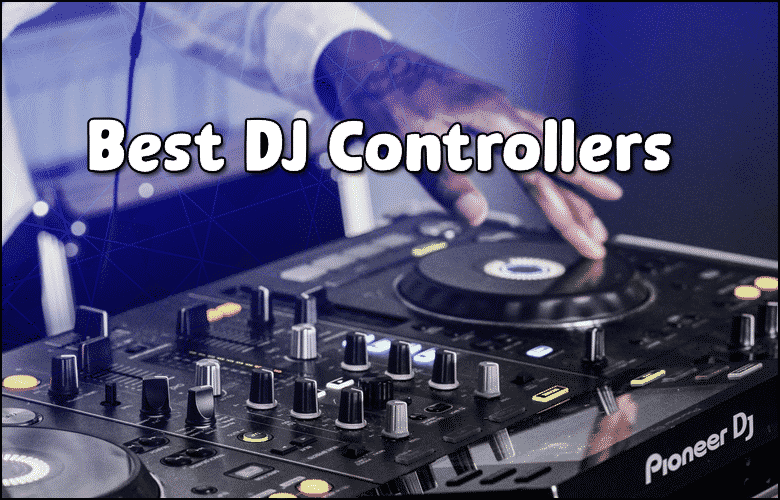
DJ Controllers are the heart of modern digital DJing, combining mixing capabilities with software integration in one portable unit. These devices let you control your music software while providing hands-on tactile feedback that makes mixing feel natural and responsive.
Whether you’re starting out or upgrading your setup, choosing the right controller depends on your budget, preferred software, and performance style. The market offers everything from compact travel units to full-size professional controllers with premium build quality.
TL;DR
- Entry-level controllers start around $200 while professional models range from $800-2000+ with advanced features.
- 4-channel controllers offer more flexibility than 2-channel units for mixing multiple tracks and using effects.
- Serato DJ Lite and VirtualDJ come free with most controllers, while Traktor Pro and rekordbox require separate purchases.
- Full-size jog wheels (6+ inches) provide better scratch control than compact wheels under 4 inches.
DJ Controllers Explained
A DJ controller connects to your laptop and maps physical knobs, faders, and buttons to your DJ software functions. This setup replaces traditional turntables and CD players while giving you direct control over digital music files.
Controllers range from simple 2-channel units perfect for house parties to complex 4-channel systems used in professional clubs. The key difference lies in the number of deck controls, built-in effects, and audio interface quality.
Controller Components
Understanding the main parts helps you choose the right features for your mixing style:
- Jog Wheels – Control track playback, scratching, and pitch bending with touch-sensitive surfaces.
- Channel Faders – Adjust volume levels for each deck independently.
- Crossfader – Blends between left and right channels for smooth transitions.
- EQ Knobs – Shape sound by boosting or cutting bass, mid, and treble frequencies.
- Cue Buttons – Preview tracks in your headphones before playing them live.
- Performance Pads – Trigger hot cues, loops, samples, and effects instantly.
Choosing Your First Controller
Start with your budget and intended use before looking at specific models. Bedroom DJs need different features than mobile entertainers who perform at events.
Entry-level controllers under $300 work well for learning basic mixing skills and playing small gatherings. Mid-range options ($300-800) add better build quality and more professional features like balanced outputs.
Size Considerations
Controller size affects both portability and functionality:
- Compact Controllers – Fit in a laptop bag but offer smaller jog wheels and fewer controls.
- Full-Size Controllers – Provide better tactile feel but require dedicated transport cases.
- Modular Systems – Separate mixer and deck sections for maximum flexibility.
Consider where you’ll use the controller most often – bedroom setups can handle larger units while mobile DJs need portable solutions.
Software Compatibility
Most controllers work with multiple DJ programs, but some offer deeper integration with specific software. Check which programs come bundled and whether you need additional licenses.
Popular software options include Serato DJ, rekordbox, Traktor Pro, and VirtualDJ. Each has different strengths – Serato excels at hip-hop and scratch techniques while rekordbox integrates well with Pioneer equipment found in many clubs.
Hardware Integration
Advanced controllers include built-in audio interfaces that eliminate the need for separate sound cards. Look for these output options:
- Master Output. Connects to your main speakers or sound system.
- Booth Output. Feeds monitor speakers so you can hear your mix clearly.
- Headphone Output. Lets you preview and cue tracks privately.
- Microphone Input. Accepts announcements and MC vocals directly.
Start Simple
Learn on a 2-channel controller before upgrading to 4-channel models. Master basic mixing skills first, then add complexity as your techniques improve.
Professional Features
Higher-end controllers add features that matter for serious performance and professional gigs. These extras justify the increased cost when you’re earning money from DJing.
Professional controllers often include motorized jog wheels that spin like real turntables, providing authentic scratch feel. They also feature premium faders rated for hundreds of thousands of operations.
Advanced Control Options
Professional models expand your creative possibilities with these features:
- Touch Strips – Control effects and filters with finger gestures.
- Color LCD Screens – Display track information, waveforms, and BPM data.
- Standalone Mode – Play music without a laptop using USB drives or SD cards.
- Multiple USB Ports – Connect backup laptops or additional storage devices.
- MIDI Mapping – Customize controls for your specific workflow and software preferences.
Budget Breakdown
DJ controller pricing reflects build quality, features, and target market. Understanding these price ranges helps set realistic expectations for your investment.
Entry controllers ($100-300) use plastic construction and basic features but teach fundamental skills effectively. Mid-range units ($300-800) add metal components and professional outputs suitable for paid gigs.
Value Considerations
Compare total cost including necessary accessories and software licenses. Some controllers require expensive software upgrades while others include full versions of premium programs.
| Price Range | Build Quality | Best For | Typical Features |
|---|---|---|---|
| $100-300 | Plastic/Basic | Learning/Home Use | 2-channel, basic jogs, included software |
| $300-800 | Mixed Materials | Mobile DJs | 4-channel, better I/O, performance pads |
| $800-2000+ | Premium Metal | Club/Professional | Motorized jogs, screens, standalone mode |
Setup and Connectivity
Modern controllers connect via USB and draw power from your laptop, eliminating the need for separate power supplies in most cases. This simplifies setup and reduces cable requirements for mobile performances.
Plan your audio routing before purchasing – some controllers require separate USB interfaces for DJs while others include everything needed for complete sound system connection.
Essential Connections
Verify these connection options match your existing gear and venue requirements:
- USB Port – Type-B connectors are standard, but some use USB-C for faster data transfer.
- Audio Outputs – RCA and XLR options for connecting to different sound systems.
- Headphone Jacks – Quarter-inch and 3.5mm sizes accommodate different headphone types.
- MIDI Ports – Connect additional controllers or drum machines for expanded setups.
Maintenance and Care
Proper maintenance extends controller lifespan and maintains consistent performance during critical moments. Regular cleaning and careful transport prevent expensive repairs and embarrassing failures.
Protect your investment with quality cases from DJ backpacks for equipment transport or hard cases for professional use. Controllers face significant wear from constant use and transport stress.
Common Issues
Watch for these problems and address them quickly to prevent permanent damage:
- Sticky Faders. Clean with contact cleaner and move through full range regularly.
- Dead Buttons. Usually caused by drink spills – keep liquids away from equipment.
- Jog Wheel Problems. Recalibrate in software settings or contact manufacturer support.
- USB Connection Issues. Update drivers and check cable integrity regularly.
Frequently Asked Questions
Can I use any DJ controller with any software?
Most controllers work with major DJ software through generic MIDI mapping, but you’ll get the best experience with officially supported combinations. Check manufacturer websites for compatibility lists before purchasing.
Do I need an audio interface with my controller?
Many modern controllers include built-in audio interfaces, eliminating the need for separate sound cards. Check the specifications for audio outputs and input options before deciding.
What size controller should beginners choose?
Start with a 2-channel controller between 12-18 inches wide for the best balance of features and portability. Full-size jog wheels make learning easier than ultra-compact models.
How much should I spend on my first controller?
Budget $200-400 for your first controller to get decent build quality without overspending on unused features. This range offers good learning tools with room to grow your skills.
Can controllers work without a laptop?
Some high-end controllers offer standalone mode using USB drives or SD cards, but most require a computer running DJ software. Standalone units cost significantly more than computer-dependent models.
Final Thoughts
DJ Controllers offer the perfect entry point into digital mixing while providing room to grow your skills and performance capabilities. Start with a solid mid-range unit that balances features with build quality for long-term satisfaction.
Focus on learning proper mixing techniques before getting distracted by advanced features you won’t use initially. A simple controller in skilled hands always sounds better than a complex unit operated poorly.
Subscribe to Our Newsletter
From discovering new songs to getting more gigs, I’m excited to share the wealth of knowledge I’ve gained through many years of DJing. [email protected]