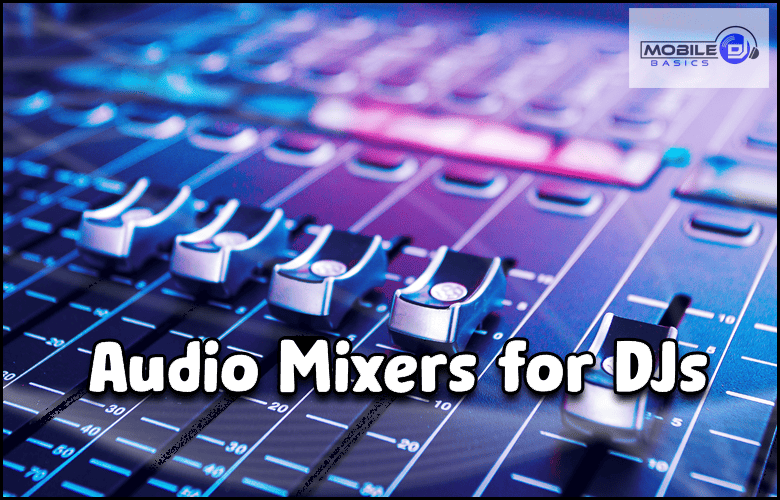
Audio Mixers For DJs serve as the central hub of any DJ setup, allowing you to blend tracks, control volume levels, and create smooth transitions between songs. Whether you’re spinning at house parties or professional events, the right mixer can make or break your performance.
Modern DJ mixers come packed with features like built-in effects, loop controls, and multiple input channels that give you creative freedom. Understanding what to look for will help you choose a mixer that fits your style and budget.
TL;DR
- Entry-level DJ mixers start around $150 and offer 2-4 channels with basic EQ controls.
- Professional mixers include built-in sound cards that eliminate the need for separate audio interfaces.
- Pioneer DJM series mixers dominate club installations worldwide, making them ideal for mobile DJs who play various venues.
- Crossfader curve adjustment lets you customize how fast or slow your cuts and scratches respond to fader movement.
Audio Mixers For DJs – Essential Features
Channel count determines how many audio sources you can connect simultaneously. Two-channel mixers work fine for basic mixing, while four-channel units give you room for multiple decks, microphones, and auxiliary inputs.
EQ controls on each channel let you adjust bass, mid, and treble frequencies independently. This feature helps you blend tracks with different tonal qualities and create space in the mix for vocals or instruments.
Built-in Sound Cards
Modern mixers often include USB connectivity and built-in audio interfaces. This eliminates the need for separate USB interfaces and simplifies your setup significantly.
The built-in sound card handles audio conversion and routing between your DJ laptop and the mixer. Look for mixers that support 24-bit/96kHz audio quality for professional results.
Entry-Level DJ Mixer Options
Budget mixers under $300 provide essential mixing functions without breaking the bank. These units typically offer 2-4 channels, basic EQ, and crossfader controls that cover most beginner needs.
Popular entry-level models include the Pioneer DJM-FLX4 and Behringer DJX750. Both offer solid build quality and features that help you learn fundamental mixing techniques.
- Channel faders – Control individual track volumes smoothly and precisely.
- Crossfader – Blend between channels or create cuts and scratches.
- Gain controls – Match input levels from different audio sources.
- Cue system – Preview tracks in your headphones before playing them live.
Professional Mixer Features
Higher-end mixers include advanced features like built-in effects processors, loop controls, and multiple output options. These tools expand your creative possibilities and help you stand out from other DJs.
Effects like reverb, delay, and filters add texture to your mixes when used tastefully. Loop controls let you extend track sections or create buildups that energize the dance floor.
Pioneer DJM Series
Pioneer dominates the club mixer market with models like the DJM-900NXS2 and DJM-A9. Learning these mixers gives you an advantage when playing at venues that already have them installed.
The consistent layout across Pioneer mixers means your muscle memory transfers between different models. This familiarity reduces stress when you’re performing at new venues.
Test Before You Buy
Visit a music store to try different mixers hands-on before purchasing. The feel of faders and knobs varies significantly between brands and models.
Mixer Connectivity Options
Input options determine what gear you can connect to your mixer. Look for a combination of RCA, XLR, and 1/4-inch inputs to accommodate turntables, CDJs, microphones, and other audio sources.
Output options should include booth monitors for stage monitoring and recording outputs for capturing your sets. Multiple output levels let you feed different sound systems simultaneously.
- Turntable inputs – Phono-level inputs with RIAA preamps for vinyl setups.
- Line inputs – Standard level inputs for CDJs, controllers, and other gear.
- Microphone inputs – XLR or 1/4-inch inputs with phantom power options.
- USB connectivity – Direct connection to computers for digital DJ software.
Choosing the Right Size
Mixer size affects both portability and available features. Compact 2-channel mixers fit easily in DJ backpacks but limit your connectivity options.
Larger 4-6 channel mixers provide more flexibility but require dedicated cases for transport. Consider your typical gigs and transportation methods when selecting mixer size.
Portable vs. Club-Style Mixers
Portable mixers prioritize lightweight construction and compact design for mobile DJs. Club mixers focus on durability and feature sets that work in professional installations.
Mobile DJs benefit from mixers that balance portability with enough features to handle diverse events. Wedding DJs need different capabilities than nightclub residents.
Integration with DJ Software
Modern mixers integrate seamlessly with popular DJ software like Serato DJ Pro, Virtual DJ, and Traktor. MIDI mapping lets you control software functions directly from mixer controls.
Some mixers come bundled with software licenses, saving you money on your initial setup. Check compatibility with your preferred software before purchasing.
DVS Compatibility
Digital Vinyl System (DVS) compatibility lets you control software with traditional turntables and timecode records. This bridge between analog and digital gives you the best of both worlds.
DVS-compatible mixers include the necessary audio routing and timecode processing built-in. You can switch between traditional records and digital files seamlessly.
Frequently Asked Questions
What’s the difference between a DJ mixer and an audio mixer?
DJ mixers include crossfaders, cue systems, and features designed specifically for beat matching and live performance. Audio mixers focus on recording and live sound reinforcement applications.
Do I need a separate sound card if my mixer has USB?
No, mixers with built-in USB audio interfaces eliminate the need for separate sound cards. The mixer handles all audio conversion and routing between your computer and sound system.
How many channels do I need for mobile DJ gigs?
Four channels cover most mobile DJ needs, allowing two music sources plus microphone and auxiliary inputs. Two channels work for basic setups but limit your flexibility.
Can I use any mixer with turntables?
Only mixers with phono inputs and built-in preamps work directly with turntables. Line-only mixers require external phono preamps to boost the weak turntable signal.
What makes Pioneer mixers so popular in clubs?
Pioneer mixers offer consistent layouts, reliable performance, and industry-standard features that club owners trust. Their widespread adoption means DJs benefit from familiarity across venues.
Final Thoughts
Audio Mixers For DJs represent the heart of your setup, so invest in quality gear that will grow with your skills. Start with essential features and upgrade as your needs become more specific.
Consider your typical venues, music styles, and transportation needs when choosing a mixer. The right choice will serve you well for years of successful performances.
Subscribe to Our Newsletter
From discovering new songs to getting more gigs, I’m excited to share the wealth of knowledge I’ve gained through many years of DJing. [email protected]