Canva For Social Media Posts transforms how mobile DJs create professional-looking graphics without design experience. This powerful platform offers templates, fonts, and tools specifically built for social media marketing.
Most DJs struggle with creating eye-catching posts that build their brand and attract bookings. Canva solves this problem by providing drag-and-drop simplicity with professional results that rival expensive design software.
TL;DR
- Canva offers over 250,000 free templates designed specifically for Instagram, Facebook, and other social platforms.
- The free plan includes 5GB storage and access to 100+ design types without watermarks.
- Brand Kit feature lets you save your DJ logo, colors, and fonts for consistent posting across all platforms.
- Mobile app syncs with desktop version so you can create and edit posts anywhere.
Canva For Social Media Posts
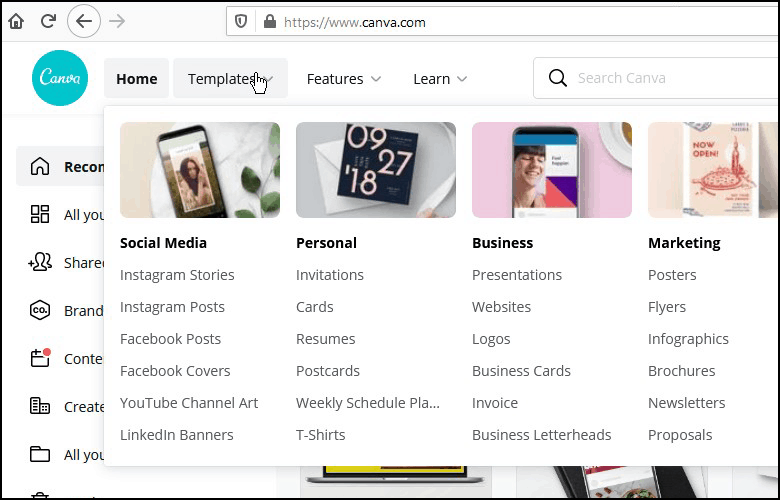
Canva simplifies social media design through its template-first approach. You select a template that matches your vision, then customize colors, text, and images to fit your DJ brand.
The platform automatically sizes your designs for different social networks. Create one design and Canva can resize it for Instagram posts, Facebook covers, Twitter headers, and LinkedIn banners instantly.
Essential Templates for Mobile DJs
Focus on these template categories that work best for DJ marketing:
- Event announcements – Templates with bold text and music-themed graphics for upcoming gigs.
- Behind-the-scenes – Casual layouts perfect for setup photos and venue shots.
- Client testimonials – Professional frames that highlight positive reviews and feedback.
- Music quotes – Typography-focused designs for sharing lyrics or music-related quotes.
- Equipment showcases – Clean layouts that highlight your DJ gear and setup.
Setting Up Your DJ Brand Kit
Brand Kit keeps your visual identity consistent across all social media posts. Upload your DJ logo once and it appears in every design you create.
Add your brand colors using hex codes from your logo or website. Canva will suggest complementary colors that work well with your primary palette.
Choosing the Right Fonts
Select 2-3 fonts maximum for your brand kit. Use one bold font for headlines, one readable font for body text, and optionally one decorative font for special occasions.
Popular DJ-friendly font combinations include:
- Montserrat Bold + Open Sans – Modern and highly readable on mobile devices.
- Bebas Neue + Lato – Strong headlines with clean body text.
- Oswald + Roboto – Professional look that works across all social platforms.
Creating Different Post Types
Each social platform favors specific content styles. Tailor your Canva designs to match platform expectations and audience behavior.
Instagram responds well to square images with minimal text and strong visual impact. Facebook allows more text-heavy designs since users spend more time reading posts in their feeds.
Instagram Post Strategy
Use Canva’s Instagram post templates that emphasize visual storytelling. Keep text overlays under 20% of the image to avoid Facebook’s text restrictions.
Create carousel posts by designing multiple related images. Show your setup process, equipment details, or event highlights across 3-5 connected slides.
Facebook Event Graphics
Facebook event covers need specific dimensions and clear event information. Include the event name, date, time, and venue prominently in your design.
Use high-contrast colors so text remains readable when Facebook compresses the image. Test your design by viewing it on mobile devices where most users see events.
Save Time With Design Templates
Create 3-5 master templates for your most common post types, then duplicate and modify them for each new event. This approach maintains consistency while cutting design time from 30 minutes to 5 minutes per post.
Advanced Canva Features for DJs
Magic Resize instantly adapts your design for different social platforms. Create an Instagram post, then use Magic Resize to generate Facebook and Twitter versions automatically.
Content Planner lets you schedule posts directly from Canva to Facebook, Instagram, and other connected accounts. Design and schedule a week’s worth of content in one session.
Using Canva’s Music Elements
Canva includes music-themed graphics, icons, and illustrations in its free library. Search for “music,” “DJ,” or “sound” to find relevant elements for your posts.
Combine multiple elements to create unique compositions. Layer a vinyl record graphic behind your text, or use musical notes as decorative borders around event photos.
Photo Enhancement Tools
Canva’s built-in photo editor improves your event and equipment photos before adding them to designs. Adjust brightness, contrast, and saturation to make images pop on social feeds.
Background remover tool works well for isolating equipment photos or removing distracting elements from venue shots. This feature requires Canva Pro but saves significant time compared to other photo editing tools.
Integrating Canva With Your DJ Marketing
Connect Canva designs with your broader social media strategy covered in our DJs Guide To Social Media. Consistent visual branding amplifies the impact of your content marketing efforts.
Use Canva graphics to support your website and business development. Professional social media graphics build credibility that supports the business foundations covered in our How To Start A DJ Company guide.
Measuring Design Performance
Track which Canva designs generate the most engagement on each platform. Instagram Insights and Facebook Analytics show how different visual styles perform with your audience.
Save high-performing designs as templates for future use. Build a library of proven designs that consistently drive bookings and brand awareness.
Frequently Asked Questions
Is Canva free for commercial DJ use?
Yes, Canva’s free plan allows commercial use of designs created with free elements. Pro elements require a paid subscription but aren’t necessary for effective DJ marketing.
Can I use my own photos in Canva designs?
Absolutely. Upload unlimited personal photos to use in your designs. This includes event photos, equipment shots, and venue images from your DJ gigs.
How do I maintain consistent branding across different post types?
Use Canva’s Brand Kit to save your logo, colors, and fonts. These elements automatically appear in every new design, ensuring visual consistency across all your social media posts.
What’s the difference between Canva Free and Canva Pro?
Canva Pro adds premium templates, advanced photo editing, Magic Resize, and brand kit features. For most mobile DJs, the free version provides sufficient tools for effective social media marketing.
Final Thoughts
Canva For Social Media Posts gives mobile DJs the design tools needed to build a professional online presence. The platform removes technical barriers while providing results that attract clients and bookings.
Start with free templates and basic brand kit setup this week. Your social media presence will improve immediately, leading to more engagement and potential bookings.
Subscribe to Our Newsletter
From discovering new songs to getting more gigs, I’m excited to share the wealth of knowledge I’ve gained through many years of DJing. [email protected]