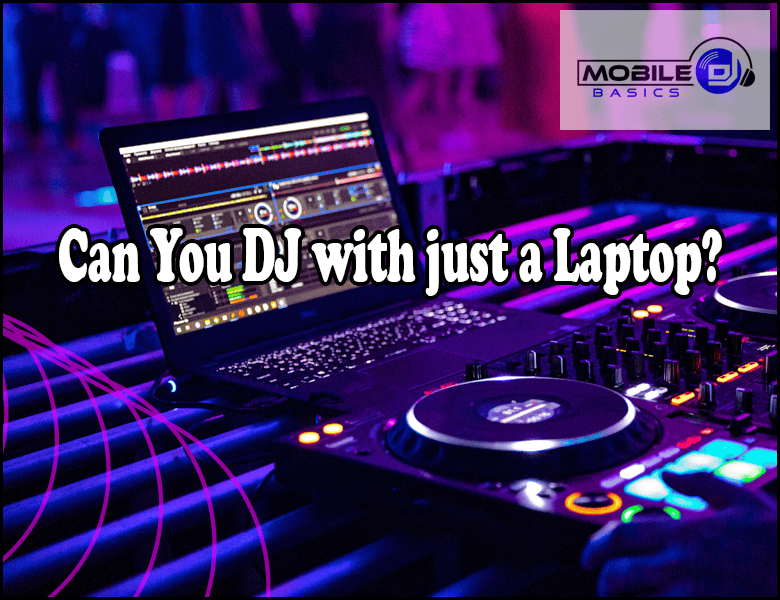
Can You DJ With Just A Laptop? The short answer is yes – modern DJ software has made it possible to mix tracks, create transitions, and perform live sets using only a laptop computer. While external controllers and mixers can enhance your setup, they’re not strictly necessary to start DJing.
Many successful DJs began their careers with nothing more than a laptop and the right software. Today’s DJ applications offer sophisticated features that were once only available on expensive hardware mixers and CDJs.
TL;DR
- Free DJ software like VirtualDJ and djay can turn any laptop into a complete DJ setup within 30 minutes.
- Laptop-only DJing requires at least 8GB RAM and an i5 processor for smooth performance during live sets.
- You can split audio output using your laptop’s headphone jack and USB port to cue tracks before playing them.
- Professional DJs regularly perform festival sets using only laptops loaded with Serato DJ Pro or Traktor.
Can You DJ With Just A Laptop
Laptop-only DJing is not only possible but increasingly common in the modern music scene. Professional DJ software has evolved to include all the essential mixing functions – beatmatching, crossfading, EQ controls, and effects processing – that you need to create seamless transitions between tracks.
The key advantage of laptop DJing is portability and cost-effectiveness. You can carry your entire music library and mixing setup in one device, making it perfect for house parties, small venues, or practice sessions.
Essential Software for Laptop DJing
Several DJ applications can transform your laptop into a professional mixing console. Each offers different features and interfaces to suit various mixing styles and skill levels.
Free DJ Software Options
- VirtualDJ – Comprehensive free version with automatic beatmatching and built-in effects.
- djay – Clean interface with Spotify integration and AI-powered mixing suggestions.
- Mixxx – Open-source platform with advanced features and controller support.
- Cross DJ Free – Mobile-friendly option that works on laptops and tablets.
Professional DJ Software
- Serato DJ Pro – Industry standard used by club DJs worldwide.
- Traktor Pro – Native Instruments’ flagship with advanced loop and remix features.
- rekordbox – Pioneer’s software that integrates with club CDJ systems.
- Virtual DJ Pro – Full-featured version with video mixing capabilities.
Hardware Requirements for Laptop DJing
Your laptop needs sufficient processing power and memory to handle real-time audio processing without glitches or dropouts. Most modern laptops meet these requirements, but specific specs ensure reliable performance.
Minimum System Requirements
- Processor – Intel i5 or AMD Ryzen 5 (dual-core minimum, quad-core recommended).
- RAM – 8GB minimum, 16GB for large music libraries and multiple effects.
- Storage – SSD preferred for faster track loading and library browsing.
- Audio Outputs – Built-in headphone jack plus USB port for audio splitting.
When selecting the best laptops for DJs, prioritize models with multiple USB ports and reliable audio drivers that work well with DJ software.
Audio Output Solutions
The biggest technical challenge in laptop-only DJing is separating your main output from your headphone cue channel. Professional DJ mixers provide dedicated outputs for each, but laptops typically have limited audio connections.
Built-in Audio Splitting
Most DJ software can split your laptop’s stereo output to send the left channel to your main speakers and the right channel to your headphones. This method works but limits you to mono audio on each channel.
USB Audio Interfaces
External USB audio interfaces provide separate stereo outputs for main and cue channels while maintaining full stereo sound quality. Popular options include the Native Instruments Traktor Audio 2 and Pioneer DJM-REC.
Practice With Headphones First
Start by mixing with headphones only to master beatmatching and transitions. This builds your skills without needing external speakers or audio splitting setups.
Mixing Techniques for Laptop DJs
Successful laptop DJing requires adapting traditional mixing techniques to work with software interfaces and mouse/trackpad controls. Practice these fundamental skills to create professional-sounding sets.
Beatmatching and Sync
Modern DJ software includes automatic sync features that align track tempos instantly. While convenient, learning manual beatmatching helps you understand rhythm and timing, essential skills for reading crowds and creating unique transitions.
Using Keyboard Shortcuts
- Learn hotkeys. Memorize keyboard shortcuts for play, cue, loop, and effects functions to mix faster than using mouse clicks.
- Map custom controls. Assign frequently used functions to specific keys that feel natural for your mixing style.
- Practice transitions. Use keyboard controls to practice smooth crossfader movements and EQ adjustments.
Advantages of Laptop-Only DJing
DJing with just a laptop offers several benefits that make it appealing for both beginners and experienced performers. These advantages explain why many professional DJs choose minimal setups for certain gigs.
- Portability – Your entire DJ setup fits in a laptop bag for easy transport to any venue.
- Cost savings – No need to invest in expensive controllers, mixers, or CDJs to start performing.
- Quick setup – Connect power and audio cables, launch your software, and you’re ready to play within minutes.
- Digital music access – Stream from Spotify, Tidal, or access your complete digital library instantly.
- Built-in effects – Software effects often surpass hardware options in variety and quality.
Limitations to Consider
While laptop DJing is capable and convenient, certain limitations may affect your performance style and venue compatibility. Understanding these constraints helps you prepare accordingly.
Physical Control Challenges
Using a mouse or trackpad for mixing feels less intuitive than physical knobs and faders. Precise control during live performances requires significant practice to achieve the same fluidity as hardware mixing.
Professional Venue Expectations
Some clubs and events expect DJs to use industry-standard equipment like Pioneer CDJs or professional mixers. Laptop-only setups may not meet these expectations or integrate well with venue sound systems.
If you’re performing at venues that require specific equipment compatibility, consider investing in professional DJ mixers that can accept laptop inputs while providing familiar controls.
Building Your Digital Music Library
Laptop DJing relies heavily on having a well-organized digital music collection with consistent audio quality and proper metadata. Preparation is crucial for smooth performances.
File Organization
- Consistent naming – Use uniform file naming conventions for easy searching and browsing.
- Genre folders – Organize tracks by genre, mood, or energy level for quick access during sets.
- BPM tagging – Ensure all tracks have accurate tempo information for smooth mixing.
- Cue points – Set intro, outro, and breakdown markers to help with timing during live mixes.
Audio Quality Standards
Download or rip tracks at 320kbps MP3 or FLAC quality to ensure your mixes sound professional on any sound system. Avoid low-bitrate files that will sound compressed and distorted at high volumes.
Frequently Asked Questions
Do I need an internet connection to DJ with a laptop?
No, you can DJ offline using tracks stored locally on your laptop. However, streaming services like Spotify require internet connectivity to access their music catalogs.
Can laptop speakers provide enough volume for a party?
Built-in laptop speakers are too quiet for most parties. You’ll need external speakers or a PA system connected to your laptop’s audio output for adequate volume.
How do I prevent my laptop from overheating during long DJ sets?
Use a laptop cooling pad, close unnecessary programs, and ensure proper ventilation around your setup. Consider reducing visual effects in your DJ software to decrease processor load.
What happens if my laptop crashes during a performance?
Always have backup music ready on your phone or a second device. Save your laptop’s battery, keep power cables accessible, and practice quick software restarts to minimize downtime.
Final Thoughts
Can You DJ With Just A Laptop is definitely achievable and offers an accessible entry point into the world of DJing. Modern software provides all the tools you need to create professional-quality mixes and develop your skills as a performer.
Start with free DJ software to learn the basics, then upgrade to professional applications as your skills and performance needs grow. The key is consistent practice and building a solid understanding of music theory and crowd dynamics.
Subscribe to Our Newsletter
From discovering new songs to getting more gigs, I’m excited to share the wealth of knowledge I’ve gained through many years of DJing. [email protected]